Procreate Masterful Mediums Studio: Bringing Traditional Texture to Digital Illustration
For digital artists seeking the depth and character of traditional media without the mess, Procreate Masterful Mediums Studio offers a compelling solution. This curated brush and texture pack bridges the gap between analog techniques and digital convenience, allowing illustrators, concept artists, and hobbyists to work with the tactile richness of gouache, oil, and ink—all from the comfort of an iPad. Whether you're refining a concept sketch or preparing a final piece for print or web, integrating this toolkit into your creative process can enhance both the aesthetic and efficiency of your workflow.
Understanding the Components of Masterful Mediums Studio
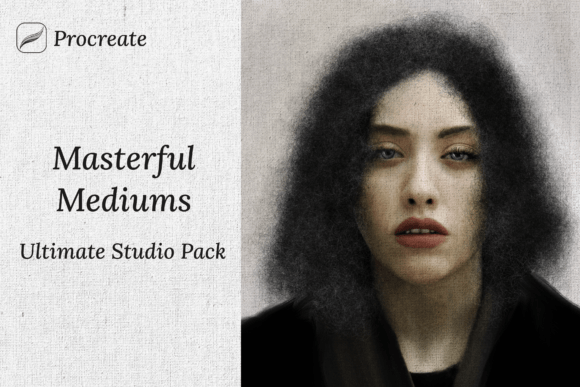
The Procreate Masterful Mediums Ultimate Studio Pack includes 21 professional-grade brushes, each emulating a specific traditional medium. These brushes are not just visual approximations—they respond to pressure, blending, and layering in ways that mimic their physical counterparts. Alongside the brushes, the pack provides a full suite of paper textures and effects, ensuring that every stroke interacts realistically with the underlying surface.
This level of detail is especially valuable for artists transitioning from physical to digital media, or those looking to add authenticity to client-facing illustrations. The pack’s paper textures, for example, can be layered beneath brushwork to simulate canvas weaves, linen grain, or handmade paper, adding depth without compromising on performance.
How Masterful Mediums Studio Fits Into a Creative Workflow
Integrating Procreate Masterful Mediums Studio into a creative process depends on the stage of the project. During the early ideation phase, the gouache-style brushes can help artists block in color and form quickly, mimicking the opaque coverage of physical gouache without the need for drying time or physical cleanup.
- Before a final illustration: Use the oil brushes to build up layers gradually, much like in traditional painting.
- During a concept phase: Ink brushes can simulate line work that feels hand-drawn and expressive.
- After the main illustration: Apply texture overlays to add depth and realism before exporting for print or web.
This flexibility makes the Studio Pack a versatile asset throughout the creative lifecycle, whether you're working on editorial illustrations, character design, or personal art projects.
Compatibility and Integration with Other Tools
One of the strengths of Procreate Masterful Mediums Studio is its seamless compatibility with the Procreate app. Since it's built specifically for iPad users, there’s no need for additional software or configuration. The brushes and textures load directly into Procreate’s interface, making them immediately accessible alongside your existing tools.
For artists who use other platforms like Photoshop or Affinity Designer, the textures included in the pack can be exported and applied as overlay effects. This cross-platform utility allows for a consistent aesthetic across different stages of production—sketching in Procreate, refining in Photoshop, and finalizing with texture overlays for a cohesive look.
Practical Tips for Using Masterful Mediums Studio
While the brushes and textures are powerful out of the box, a few adjustments can help you get the most out of the Procreate Masterful Mediums Ultimate Studio Pack:
- Adjust brush opacity and flow to mimic the layering behavior of real gouache or oil paint.
- Use clipping masks when applying texture overlays to ensure they interact only with the intended layers.
- Organize your layers by medium type—ink lines on one layer, gouache fills on another—to maintain flexibility during revisions.
- Experiment with blending modes like Multiply or Overlay when combining textures for richer results.
These small optimizations can significantly improve the usability of the pack and help maintain a clean, efficient workflow—especially when working on larger, more complex projects.
Quality Control and Long-Term Use
As with any digital asset, maintaining consistency and quality over time is essential. The brushes in Procreate Masterful Mediums Studio are designed to be durable across projects, but it’s a good idea to periodically review your brush settings and layer organization to ensure they align with your evolving style.
Consider creating a template file that includes your preferred brush presets and texture layers. This not only speeds up your workflow but also ensures a consistent output across different illustrations. Over time, this kind of system helps build a cohesive portfolio or brand aesthetic—especially important for freelance illustrators and concept artists.
Workflow Integration for Professionals and Enthusiasts
Whether you're a professional illustrator or a passionate hobbyist, the Procreate Masterful Mediums Studio can be woven into your regular creative routine. For freelancers, having a reliable set of brushes that produce realistic textures can streamline client presentations and reduce the need for post-processing in other applications.
For educators or content creators, this toolkit can serve as a teaching aid—demonstrating how digital tools can replicate traditional techniques. It’s also a great resource for those learning digital illustration on their own, offering a hands-on way to explore different media without investing in physical supplies.
Real-World Applications and Use Cases
Let’s consider a few practical applications where Procreate Masterful Mediums Studio can make a tangible difference:
- Children’s book illustration: The gouache brushes can help create soft, opaque colors that feel warm and approachable—ideal for young audiences.
- Concept art for games or film: Oil and ink brushes provide a painterly look that’s often preferred for early visual development.
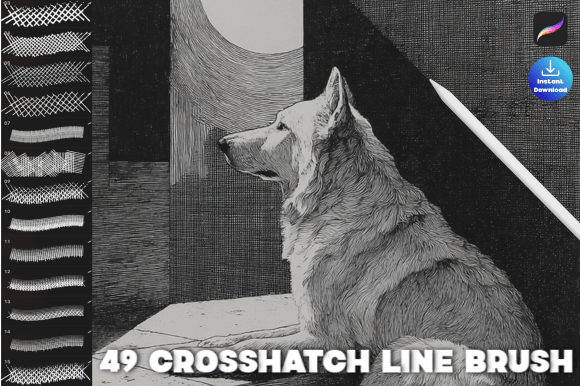
- Editorial illustration: Textured ink lines combined with subtle paper effects can give a handcrafted feel to digital illustrations used in magazines or online publications.
In each of these scenarios, the ability to blend traditional aesthetics with digital efficiency is a major advantage—especially when working under tight deadlines or needing to iterate quickly.
Final Thoughts on Procreate Masterful Mediums Studio
The Procreate Masterful Mediums Studio is more than just a collection of brushes and textures—it’s a toolkit designed to enhance the way digital artists approach their craft. By bringing the richness of traditional media into a modern, mobile platform, it empowers creators to work more intuitively and expressively. Whether you're sketching out ideas, refining a concept, or finalizing a piece for delivery, this pack can fit seamlessly into your process, adding depth, texture, and soul to your digital artwork.